
Preview 1.11.17 · published; live validation required
Smart Exchange Migration Readiness
Read-only readiness assessment for hybrid Exchange mailbox batches. Review identity, quotas, licenses, permissions, synchronization and the migration endpoint before planning a move.
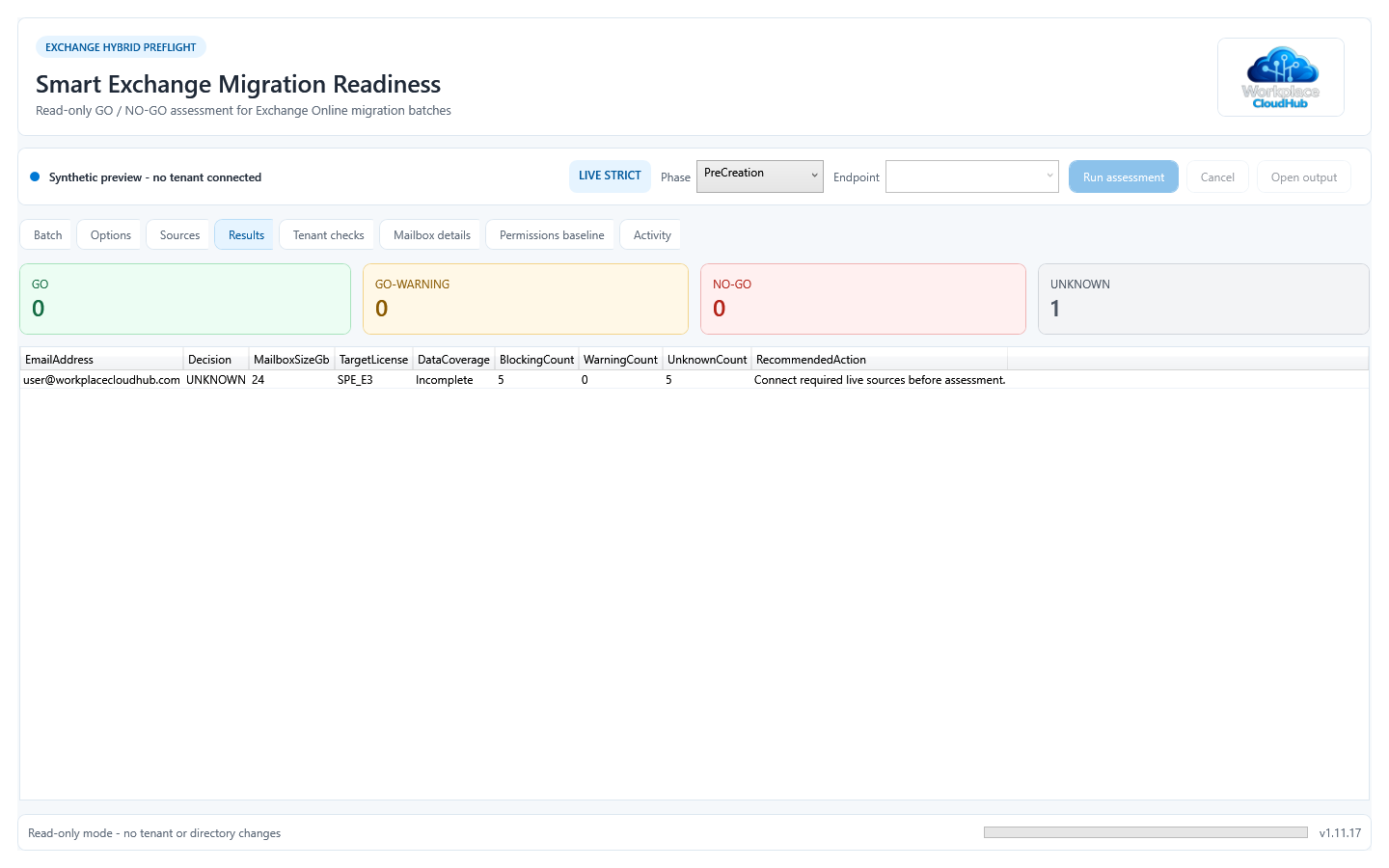
Live sources and decisions
EXO, Graph, forest-wide Active Directory and local Exchange are required. Graph supplies tenant synchronization health. Missing evidence prevents GO; inspect GO-WARNING, NO-GO, UNKNOWN and COMPLETE/INCOMPLETE separately. PreCreation and ExistingBatch evaluate different migration states. No inventory cache is used.
Prerequisites and installation
Windows/WPF with PowerShell 7.4 for EXO 3.7.2–3.9.2, or PowerShell 7.6 for EXO 3.10+. Install the three Graph modules below at the same version. ActiveDirectory and a local Exchange Management Shell with its Windows PowerShell 5.1 snap-in are required; RSAT alone is insufficient.
Microsoft.Graph.Authentication
Microsoft.Graph.Users
Microsoft.Graph.Identity.DirectoryManagement
Copy the complete application folder from the GitHub preview ZIP. Create the local JSON from its template, set TenantProfile.TenantId and the hybrid routing domain, then choose a writable OutputRoot. Launch the CMD file. No installer or product Gallery package is published.
Start-SmartM365-ExchangeMigrationReadiness-GUI.cmd
pwsh -NoProfile -STA -File .\SmartM365-ExchangeMigrationReadiness-GUI.ps1 -ValidateOnly
Operator permissions
Use delegated interactive EXO first, then Graph. Graph requires admin consent for User.Read.All, Directory.Read.All and Organization.Read.All, plus a supported directory role for license reads. EXO RBAC must expose recipient, permission, migration and endpoint commands, including Test-MigrationServerAvailability. The Windows account needs forest-wide AD and local Exchange read access. App-only bootstrap and Mail.Send are not required.
Reports and evidence limits
Eight CSV files, a nine-sheet Excel workbook and a self-contained HTML report record decisions, findings, permissions, live sources, coverage and enabled checks. Excel is not required to generate them. Reports contain identities and infrastructure details and are not anonymous. The application and reports are in English; this guide is available in six languages.
No batch creation, mailbox move, license change or tenant write. Permission comparison stops on collection errors; SID delegates remain visible and deny entries are excluded from grants. Review disabled checks and UNKNOWN results. Offline tests do not certify a tenant or migration topology.
Exchange 2016 and 2019 detection is retained for assessment, but Microsoft support ended on 14 October 2025. Check the current Exchange supportability matrix before selecting the operator host.